Learn how to accurately log specialty cuts, pasture-raised beef organs, and unique butcher selections using Natural Carnivore's integrated USDA search and custom food creator.
We only share products we believe in. Buying through a link may earn us a small commission — thanks for the support. Learn more →
When following an animal-based protocol, standard tracking apps often fall short. Generic food logs lump together different fat trims, fail to recognize specialty cuts from your local butcher, or lack verified data when you want to track beef organs macros accurately. At Natural Carnivore, we designed our platform specifically to eliminate those frustrations.
Whether you are on the strict Lion Diet, a classic Carnivore path, or Ketovore, precision matters. In this guide, we will walk you through how to use the Tracker to search the comprehensive USDA database, adjust fat ratios, and add custom cuts of meat so your daily food diary always reflects reality.
Why Precision Logging Matters on a Carnivore Protocol
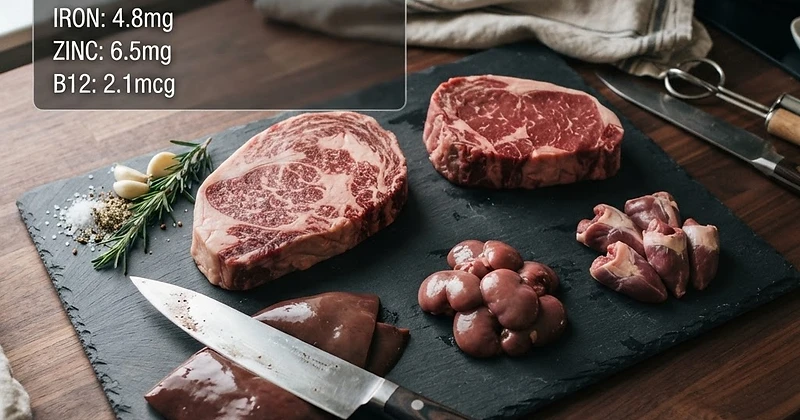
Carnivore nutrition is distinct because fat-to-protein ratios drive energy levels, satiety, and digestive wellness. A ribeye trimmed to zero fat has a vastly different macronutrient profile than an untrimmed, bone-in prime ribeye. Similarly, when adding nutrient-dense organs like beef liver, heart, kidney, or sweetbreads to your rotation, precision is essential for tracking protein and micronutrient density.
By pairing your personalized targets configured during Onboarding with accurate food logging, you ensure that your daily calories, protein, and fat stay aligned with your health and body composition goals.
Using the USDA Food Search for Standard and Specialty Cuts
The core of our logging system connects directly with verified USDA nutritional data. This allows you to find exact cuts of meat with varying degrees of fat trim and preparation methods without guessing.
Step-by-Step: Searching the USDA Database
- Navigate to your Tracker from the main menu.
- Select the meal section you wish to log into: Breakfast, Lunch, Dinner, or Snacks.
- Click the Add Food button to open the search modal.
- Enter specific search terms into the usda food search carnivore bar. For example, instead of typing just “steak,” search for “beef ribeye lip-on raw” or “ground beef 80/20 pan-browned.”
- Review the search results to match the specific cut, grade, and cooking method.
- Select the item, adjust your serving size (grams, ounces, or pounds), and hit Add to Diary.
Logging Specialty Cuts and Organ Meats
Finding accurate profiles when logging specialty meats is straightforward using the built-in USDA tools. Use these tips when searching:
- Beef Liver: Search “beef variety meats and by-products liver raw” or “cooked braised” to track exact protein, fat, and micronutrient totals.
- Beef Heart: Search “beef heart raw” to capture lean protein without over-counting fat.
- Bone Marrow and Fat Caps: When consuming tallow, suet, or marrow, search specifically for rendered fats or beef suet to log high-energy fats accurately.
- Bison, Lamb, and Game: The USDA database includes comprehensive entries for wild game, elk, venison, and lamb loin chops, ensuring your animal-based diversity is captured completely.
How to Add Custom Food Entries to Your Tracker
There will be times when you purchase curated meat bundles from local farms, specialized butcher sausage with zero fillers, or specific branded suet blocks that have their own nutrition panels. Our add custom food tracker tool gives you full control to create, save, and reuse these custom cuts effortlessly.
Creating Your Custom Meat Entry
- Open the food modal in your Tracker and select the Custom Foods tab.
- Click Create New Food.
- Enter a clear, recognizable name (e.g., “Local Pasture-Raised 75/25 Ground Beef” or “Grass-Finished Beef Kidney”).
- Set the serving size and unit (such as 100g or 4 oz).
- Input the macronutrient values: total calories, protein, fat, and total carbs. For pure carnivore meats, carbs will naturally be zero.
- Optionally, add custom notes regarding the butcher or sourcing for your personal records.
- Click Save Food.
Once saved, your custom cuts remain accessible under your custom catalog, allowing you to re-add them with a single click whenever you log that meal.
Integrating Custom Logging with Your Meal Routine
Accurate tracking in the diary powers the rest of your Natural Carnivore experience:
- Analyze Your Trends: Head over to Insights to view your 7, 30, and 90-day macro averages, weight trends, and target hit-rates based on your logged meals.
- Plan Ahead: Compare your custom logged staples with recipes in our Recipe Library or auto-generate complete weekly meal frameworks through the Meal Planner.
- Sync with Intermittent Fasting: Use the live fasting timer right on the Tracker to monitor your eating windows alongside your daily meat intake.
Make Your Food Diary Work for You
Tracking an animal-based diet should simplify your health journey, not complicate it. By taking advantage of verified USDA data and building your own library of custom butcher cuts, you can ensure your daily intake perfectly matches your specific carnivore targets. Open your Tracker today to log your next meal with absolute confidence.