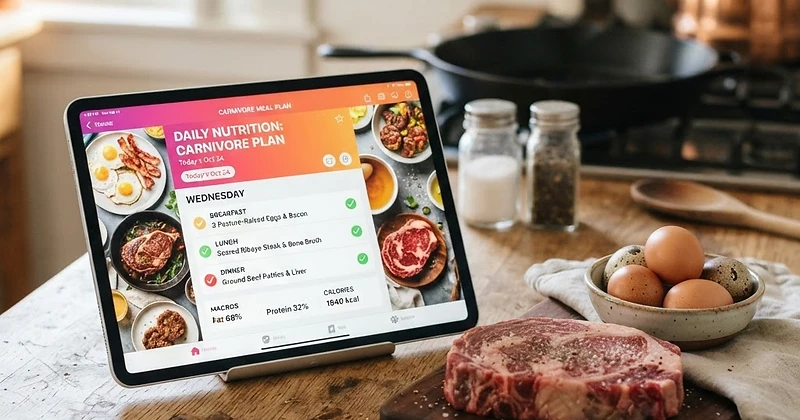
Learn how to build, adapt, and streamline your animal-based nutrition using Natural Carnivore's personalized meal planning, recipe library, and automated grocery tools.
We only share products we believe in. Buying through a link may earn us a small commission — thanks for the support. Learn more →
Switching to an animal-based way of eating simplifies nutrition in countless ways, but planning your weekly menu can still bring questions. How much fat versus protein do you need? How do you organize your shopping list so you never run out of quality cuts? At Natural Carnivore, we built our tools specifically to remove the guesswork.
Whether you need a dedicated carnivore meal planner app, a flexible custom keto carnivore plan, or a pure lion diet meal generator, our platform adapts to your exact goals. Here is your step-by-step guide to generating, refining, and tracking your ideal meal plan inside Natural Carnivore.
Step 1: Calibrate Your Profile and Choose Your Diet Path
Your meal plan is only as good as the foundation beneath it. Every meal recommendation and macro distribution in the platform starts in Onboarding, where you define your physical metrics, activity level, and overarching objectives.
During setup, you will pick from our three distinct diet paths:
- Lion Diet: The strictest elimination protocol, emphasizing ruminant meat, salt, and water. Perfect for resetting gut health and combating autoimmune flare-ups.
- Carnivore: A classic ancestral approach featuring beef, poultry, seafood, pork, pasture-raised eggs, and nutrient-dense animal fats.
- Ketovore: An ultra-low-carb hybrid protocol that centers on animal proteins while allowing mindful, keto-friendly plant inclusions like avocado, herbs, or olives.
Once selected, the platform calculates your baseline calorie and macronutrient targets. You can revisit these settings whenever your goals change.
Step 2: Generate Your Plan in the Meal Planner
Navigate to the Meal Planner to configure your schedule. This feature acts as your personal menu architect, letting you define:
- Day Count: Set up a full 7-day routine, a short 3-day reset, or a single batch-cooking cycle.
- Meal Frequency: Choose how many times you eat per day, whether you thrive on three square meals or practice intermittent fasting with two meals or One Meal A Day (OMAD).
- Ingredient Preferences: Filter out proteins you prefer not to eat and highlight staples you love, making it easy to create a true carnivore weekly meal prep app workflow.
Once you click generate, the platform pulls balanced combinations directly into an easy-to-read daily schedule matched to your macronutrient requirements.
Step 3: Fine-Tune with the Recipe Library
Flexibility is essential for long-term consistency. If your plan recommends beef tallow scrambled eggs but you would rather have seared skirt steak, you can make instant adjustments.
Visit our Recipe Library to discover meals tailored to your specific protocol. Every dish includes:
- Diet path tags (Lion, Carnivore, Ketovore) so you never have to wonder if an ingredient fits.
- Accurate macronutrient profiles (protein, fat, total carbs, and calories).
- Clear, foolproof cooking directions designed for animal-based cuts.
Find a dish you love, swap it into your active plan, and your daily totals will update automatically.
Step 4: Streamline Shopping with Automated Grocery Lists
One of the biggest hurdles to sticking with animal-based eating is running out of groceries midweek. When your plan is ready inside the Meal Planner, the platform aggregates all required proteins, fats, and seasonings into an automated grocery list.
Your shopping list is structured by category, complete with check-off tracking so you can navigate the butcher shop or market quickly. By knowing exactly how many pounds of ground beef, steaks, or dozens of eggs you need for the week, you eliminate food waste and avoid impulse buys.
Step 5: Log Meals and Track Fasting on Your Dashboard
Once your week begins, head over to the Tracker to record your real-time intake. The daily food diary lets you easily add planned meals from our built-in database, search USDA entries, or create custom items.
The tracker keeps your progress visible throughout the day:
- Macro Progress: Live progress bars show how closely your protein, fat, and carb ratios mirror your targets.
- Fasting Timer: If you pair your plan with time-restricted eating, launch our built-in fasting timer. Choose protocols like 16:8, 18:6, 20:4, OMAD, or custom durations, and track your countdown right on the dashboard.
- Weight Logging: Log your weigh-ins directly on your diary page to monitor how your body responds to specific macronutrient adjustments.
Step 6: Review Trends in Insights
Consistency compounds over time. To evaluate how your customized meal plan is performing, visit Insights.
Here, you can review 7, 30, and 90-day trends covering your nutritional averages, weight curve, fasting consistency, and electrolyte balance. Premium members unlock extended tracking views and macro hit-rates, helping you dial in fat-to-protein ratios with scientific precision.
Whether you need a strict lion diet meal generator to isolate food sensitivities or a vibrant custom keto carnivore plan that fuels your active lifestyle, Natural Carnivore brings every tool you need into one connected experience. Build your plan, stock your kitchen, and enjoy the simplicity of ancestral nutrition.