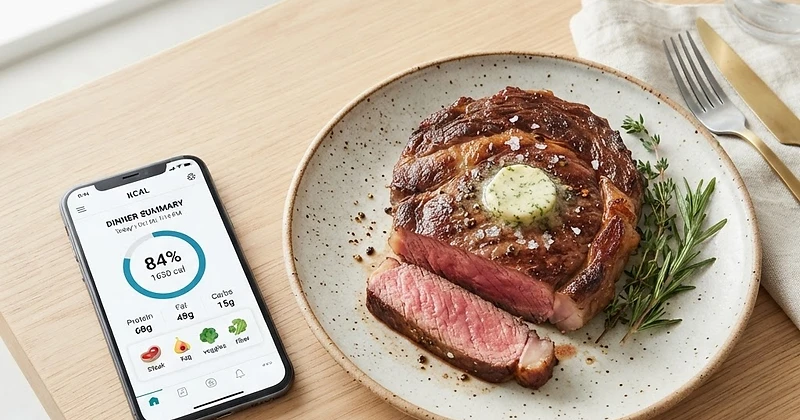
Learn how to dial in your fat-to-protein ratios using Natural Carnivore. Whether you are thriving on the Lion Diet or optimizing Ketovore macros, master your targets with our built-in tools.
We only share products we believe in. Buying through a link may earn us a small commission — thanks for the support. Learn more →
When adopting an animal-based lifestyle, calories often take a back seat to macronutrient composition. Whether you are pursuing deep elimination via the Lion Diet or leveraging low-carb flexibility with Ketovore, managing your fat-to-protein balance is the single most important factor for sustained energy, satiety, and hormonal health.
Getting your fat intake right can feel tricky at first. That is why we built the platform from the ground up to handle these exact protocols. In this guide, we will walk through how to calibrate and monitor your ratios seamlessly using Natural Carnivore.
Understanding Fat-to-Protein Ratios in Animal-Based Diets
In standard diet spaces, fat is often restricted. In animal-based nutrition, fat is your primary energy substrate. Here is how ratio needs differ depending on your selected path:
- Lion Diet: Solely ruminant meat, salt, and water. Because lean beef can leave you under-fueled, tracking your high fat zero carb macros ensures you maintain at least a 1:1 or ideal 2:1 fat-to-protein ratio in grams (approx. 70% to 80% of calories from fat).
- Ketovore Diet: Animal-forward eating combined with low-carb additions like avocados, olives, or specific seasonings. Using an intuitive ketovore macro tracker keeps accidental carb creep down while maintaining optimal ketone production.
Step 1: Set Your Protocol in Onboarding
Your macro journey starts at initial setup. If you have not done so yet, head to Onboarding to configure your profile. Here, you will:
- Select your preferred Diet Path: choose Lion (meat, salt, water) or Ketovore (low-carb animal foods plus select plant foods).
- Input your body metrics, activity level, and core wellness goal (such as fat loss, lean muscle gain, or therapeutic healing).
- Let our system calculate your baseline daily caloric and macro targets, automatically adjusting fat thresholds to keep your energy high.
Step 2: Monitoring Grams in the Daily Tracker
Once your diet path is calibrated, head to your daily Tracker. This is your primary cockpit for logging meals and viewing live macro breakdowns.
Logging Protocol-Compliant Foods
To accurately compute your daily ratio, record every meal using our comprehensive food library:
- Built-in & USDA Database: Use the search bar to find fatty cuts like ribeye, 70/30 ground beef, beef suet, butter, or pastured tallow.
- Custom Entries: Have a specialty cut from your local butcher with a unique fat trim? Add a custom entry in seconds with exact protein and fat quantities.
- Meal Sections: Log your items under Breakfast, Lunch, Dinner, or Snacks to identify when you are hitting your fattiest meals.
Reading Your Live Ratio
At the top of the Tracker, you will see your real-time macro progress bars. Instead of wondering if your beef was too lean, our dynamic macro calculation displays your total grams of fat against protein side-by-side. If your goal is a 1:1 ratio in grams (70% fat by calories) or a 2:1 ratio (80%+ fat by calories), you can quickly evaluate whether your next meal needs extra butter, tallow, or a fattier cut.
Step 3: Plan High-Fat Meals in Advance
Hitting high-fat targets on the Lion Diet or Ketovore protocol is much easier when planned beforehand. If you find yourself consistently short on fat grams by dinner, use these internal features:
- The Meal Planner: Visit the Meal Planner to generate fully personalized daily schedules tailored directly to your Lion or Ketovore path. You can specify the number of meals per day, and the generator automatically selects fatty cuts to meet your target ratio.
- Recipe Library: Explore the Recipe Library, filtered directly by the Lion or Ketovore tags. Every recipe features comprehensive nutritional breakdowns, ensuring you only choose meals that reinforce your macro goals.
- Automated Grocery Lists: When you generate a meal plan, your grocery list is instantly built by category, letting you shop for beef tallow, brisket, and suet with absolute confidence.
Step 4: Analyze Long-Term Trends with Insights
Your ratio balance on any single Tuesday matters less than your overall weekly consistency. This is where Insights comes in.
Switch over to your dashboard analytics to review 7, 30, and 90-day averages. The platform charts your nutrition averages over time, showing you whether your fat ratio is trending upward and how that correlates with your logged body weight and fasting windows. Premium members can also monitor their Target Hit-Rate to see exactly how frequently their daily fat-to-protein ratio hit the optimal zone.
Putting It All Together
Mastering your fat-to-protein ratio does not require complex mental math or external spreadsheets. By leveraging your personal setup in Onboarding, daily logging in the Tracker, curated inspiration from the Recipe Library, and deep analytics in Insights, Natural Carnivore gives you all the tools you need to thrive on your animal-based journey.