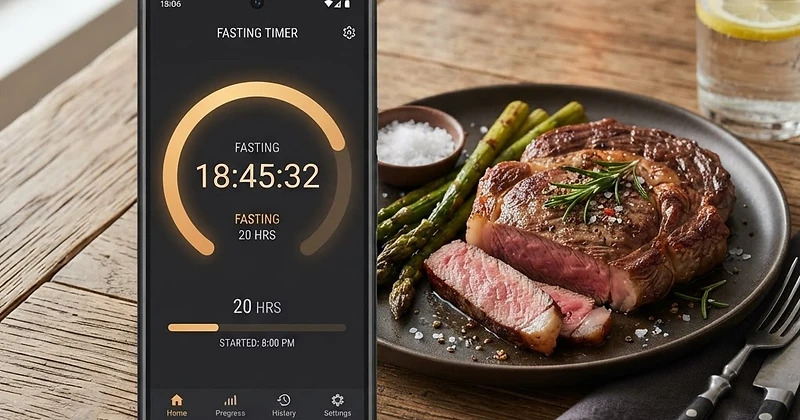
When you transition to an animal-based diet, natural appetite regulation kicks in fast. Satiating animal fats and dense protein keep blood sugar stable and eliminate the frequent cravings typical of high-carb eating. For many people, skipping meals happens organically, making intermittent fasting and One Meal A Day (OMAD) a seamless lifestyle fit.
To help you stay organized and monitor your adaptation, Natural Carnivore includes a purpose-built fasting tracker directly inside your daily dashboard. In this guide, we will walk you through how to configure, start, and monitor your fasting sessions—from standard 16:8 splits to single-meal OMAD routines—all in one place.
Why Track Intermittent Fasting on a Carnivore Diet?
Carnivore meals are naturally nutrient-dense and satisfying. As your hunger hormones level out, you might find yourself naturally extending the time between meals. Using a dedicated carnivore intermittent fasting timer gives you several practical benefits:
- Precision consistency: Visualizing your fasting window helps prevent mindless nibbling and reinforces structured eating windows.
- Seamless macro integration: Instead of juggling separate systems, you can pair your fasting countdown with your daily food logs in the Tracker.
- Long-term pattern recognition: Reviewing completed fasts alongside your weight and nutrient trends helps you find the sweet spot that delivers energy, mental clarity, and fat loss.
Step 1: Choose Your Fasting Protocol
Before kicking off a fast, determine the schedule that fits your daily routine and metabolic goals. In the Tracker, you can choose from several predefined protocols or create a custom schedule:
- 16:8 Protocol: Fast for 16 hours and eat within an 8-hour window. This is the classic 16:8 carnivore fasting setup, ideal for those transitioning off multi-meal schedules.
- 18:6 & 20:4 Schedules: For experienced carnivores who prefer a narrower eating window of two substantial meals without feeling rushed.
- OMAD (One Meal A Day): Fast for approximately 23 hours and consume your daily caloric and protein needs within a single, dedicated meal.
- Extended & Custom Windows: Tailor your fasting and eating durations manually whenever your schedule shifts.
If you have not already configured your foundational profile, visit Onboarding. Here, you can select your diet path—whether strict Lion (meat, salt, water), classic Carnivore (meat, eggs, dairy), or Ketovore (low-carb animal-forward)—alongside your body stats to calibrate your calorie and macro targets.
Step 2: Starting and Managing Your Fast in the Tracker
Operating the fasting timer within the Tracker is simple and intuitive:
- Navigate to the Tracker page.
- Locate the Fasting Timer widget at the top of your dashboard.
- Select your preferred protocol from the dropdown menu (such as 16:8 or OMAD).
- Tap Start Fast as soon as you finish your final bite of the day.
Once running, the widget displays an active countdown, the total elapsed time, and a live visual progress bar showing your target completion point. If you forget to start your timer right after dinner, you can manually adjust your start time so your records remain accurate.
Step 3: Logging OMAD and Feeding Windows
When your timer ends and it is time to break your fast, hit End Fast. Your completed session is automatically saved to your history.